
iOS and Android
Pocket Option trading app
Installing the app
The Pocket Option trading app runs on Android, iOS and desktop, but установка немного отличается на каждом устройстве.
On Android, the app goes through Google Play. Open the store, type Pocket Option in search, make sure the publisher name is Pocket Investments Limited Liability Company, then tap Install. On a normal mobile network the download usually finishes in a couple of minutes.
For iOS we use a progressive web app instead of the App Store. Open Safari, go to pocketoption.com/en/pwa, tap the Share icon and choose Add to Home Screen. You will see a new icon that opens straight into the trading area, looking and working like a regular app but without Safari panels.
On Windows and macOS we keep the same idea - a web-based trading terminal that installs like a small app. The launcher simply opens our browser interface with full functionality, including charts, orders and account management.
| Platform | Installation method | Processing time |
|---|---|---|
| Android | Google Play download | 2-5 minutes |
| iOS | PWA via Safari | Instant |
| Windows | Web app installer | Instant |
| macOS | Web app installer | Instant |
Account setup
When you open the app, use the Sign Up button on the main screen. Enter your email and create a password, we do not require phone confirmation at this stage. A new profile starts in demo mode, so you trade with virtual balance and no financial risk.
The account switcher in the top panel lets you move between demo and real balance at any time. To fully activate a real account and enable withdrawals, we must verify your identity. You upload photos of a government ID and a document with your address. Aadhaar card, PAN card or passport work for identity; for address we accept recent utility bills or bank statements not older than three months.
Two-factor authentication is available in Account Settings under Security. After enabling 2FA with a time-based authenticator app, every login from a new device will ask for both your password and a 6-digit code.
The base currency of your trading account is chosen with the first deposit. We support fiat and crypto currencies, but for most traders from India, USD accounts are used because local banks limit direct INR processing for this kind of operations.
Depositing from India
The Deposit section becomes active once you switch to the real balance. We work with several payment providers that are usually reachable from India, but the exact set can change when our processors update their rules.
Bank cards such as Visa and Mastercard debit cards issued by Indian banks can be used if international payments are enabled. You type in the card details, set the deposit amount in USD, then confirm through your bank’s 3D Secure page. Some banks process instantly, others can hold the transaction for a few hours.
Crypto deposits bypass direct banking rails. In the app you choose the cryptocurrency, for example Bitcoin or Ethereum, and we generate a wallet address for your transfer. Funds appear after the blockchain confirms the transaction. For Bitcoin this commonly needs around 15-60 minutes, Ethereum usually settles faster, around 5-15 minutes.
We also support e-wallets such as Perfect Money, Advcash and WebMoney. You fund these wallets using your local methods and then move funds into your Pocket Option trading balance from the e-wallet interface.
Minimum deposit levels depend on the payment type. Card operations normally start from the equivalent of 10 USD, while crypto limits relate to current network fees. We do not add our own deposit commission, but your bank, processor or crypto network may still charge fees on their side.
Trading interface
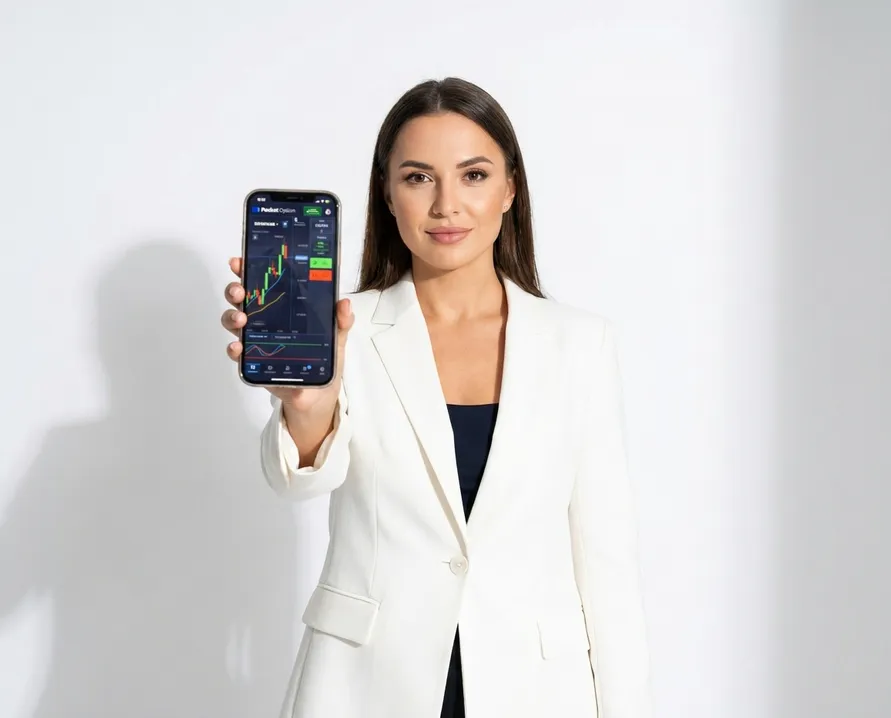
Inside the Pocket Option trading app, the central part of the screen is always the chart. The asset selector stays at the top, while order controls sit directly under the chart area. This layout is the same for Indian users on both phones and desktop, only some panels rearrange to fit screen size.
Tap the asset field in the top-left part to open the list of instruments. Assets are grouped by type: currency pairs, commodities, stocks, cryptocurrencies and indices. You can scroll the list or type a symbol name in the search bar. Among Indian traders, EUR/USD and GBP/USD are common choices, and so are gold and crude oil contracts.
Chart timeframe buttons appear above the price. You can switch from ultra short 5-second views up to 1-month candles. We set 1-minute candles by default, as this works well for most binary options with expirations from 60 seconds to a few minutes.
Indicators are available through the indicators icon. We include moving averages, RSI, MACD, Bollinger Bands and a group of other technical tools. You can combine several indicators, open their settings, tune periods or levels and save layouts so they load next time you log in.
The trade panel is located right under the chart. Here you choose direction, amount and expiration. Before you confirm, the interface shows you the current payout rate in percent. On binary options this usually stays in the 70-95 percent range depending on the specific asset and expiry.
Quick installation across devices
The Pocket Option app works on Android through Google Play, iOS via progressive web app, and desktop as a web-based terminal. Android installation takes 2-5 minutes while iOS and desktop setup is instant.
The platform offers 100+ financial instruments including forex, commodities, stocks and cryptocurrencies. You start with a demo account using virtual funds to practice before real trading.
- Progressive web app for iOS devices
- Web-based terminal for Windows and macOS
- Demo mode with virtual balance included
- Full chart analysis tools and indicators
- No phone confirmation required for signup
Executing trades
Binary options on Pocket Option use a fixed-payout principle. You decide if the asset price will end higher or lower than the entry value once the expiration time is reached. If your forecast is correct, the app returns your stake plus the profit that matches the payout percentage. If it is wrong, you lose the invested amount for that trade.
To open a position you normally go through a quick sequence:
- Choose the asset you want to trade.
- Set an expiration time, for example 60 seconds, 5 minutes, 15 minutes or 1 hour.
- Enter the amount you are ready to risk on this single trade.
- Check the payout percentage shown on the screen.
- Press the green UP button if you expect growth or the red DOWN button if you expect a fall.
- Confirm the order if you have additional confirmation enabled and watch the trade in the Active trades block.
Every open trade in that block shows entry price, current price, remaining time and current result status. The information updates live until the clock reaches zero. Binary options cannot be closed ahead of time, so each position runs until its pre-selected expiration.
Payout levels change with volatility and asset category. Liquid forex pairs in active market hours often pay around 80-85 percent. More volatile instruments like some exotics, individual shares or crypto assets sometimes show 92-95 percent, but price swings on them can be much stronger.
Withdrawals
To take funds out you use the Withdrawal section of your account menu. Identity verification must be completed before the first withdrawal, so unverified traders can still top up and open positions, but they cannot send funds back out.
Available withdrawal channels depend on what you used for deposit and your account status. In most cases we must return funds via the same route they originally came from, in line with basic anti-money-laundering practice.
Crypto withdrawals are usually the most direct for many Indian users. You select the cryptocurrency, paste your wallet address, enter the amount, then confirm with your password and 2FA code if you have it activated. Timing depends on blockchain load and security checks on our side, but normally it is processed within 24 hours.
Card withdrawals for Indian Visa and Mastercard debit cards are created from the same interface as deposits. You set the amount, confirm and then wait for both our approval and your bank’s settlement. End-to-end this typically takes from 3 to 7 business days.
E-wallet withdrawals to Perfect Money, Advcash or WebMoney accounts are generally faster than bank cards. After we approve the request, the e-wallet usually reflects the payment within about 24 hours.
Minimum withdrawal values are usually similar to the deposit minimums for each method. We do not charge a withdrawal fee from our side, however banks, card schemes or crypto networks still apply their own standard commissions.
Security features
We apply several technical measures to protect trading accounts. When you create or change a password, the app checks for a minimum of 8 characters and requires at least one uppercase letter, one lowercase letter and one digit. Special characters are not mandatory but they make the password harder to guess.
Two-factor authentication adds another protective layer on top of that password. After you turn on 2FA in settings and link an app like Google Authenticator or Authy, each login session will require a temporary 6-digit code generated on your phone.
Identity verification is handled in the Verification section of your profile. The steps are straightforward: upload a clear image of your government ID, add a document that confirms your current address dated within the last 90 days, then wait while our compliance team checks the files. Reviews usually complete in 1-3 business days, and once approved you get full withdrawal access.
When you take photos of documents, all corners must be visible, text should be sharp and readable, and reflections should not block any parts of the image. In some situations we may ask for an additional selfie to match you with the document.
The Security area also shows a log of recent logins with timestamps, IP addresses and device data. It is good practice to glance over this list sometimes to notice if any unknown device tried to access your Pocket Option account.
Platform requirements and support
The Pocket Option trading app is designed to run on everyday devices. Phones, tablets and office computers from India usually meet the requirements without upgrades.
On Android, we support version 5.0 or later. The initial app download is around 15-25 MB and extra data is cached while you trade. Devices with about 2 GB of RAM handle charts and interface comfortably.
On iOS, our PWA runs in Safari on systems starting from iOS 11.3. Since it functions as an advanced bookmark, it uses very little local storage.
For desktop web access, we recommend current versions of Chrome, Firefox, Safari or Edge. Internet Explorer is not supported. The trading terminal adapts to displays from 1280x720 and above.
The platform works on typical 3G mobile internet, but 4G or WiFi gives smoother chart updates. We advise at least 1 Mbps stable bandwidth, with 5 Mbps or more for steady real-time streaming.
If something goes wrong or you need clarification, you can contact us through live chat from the app, using the icon in the bottom-right corner of the screen. Usually you get an answer within a few minutes during business hours, sometimes up to about 15 minutes. Email support is available at support@pocketoption.com, where we respond to non-urgent questions in roughly 24-48 hours. For quick self-checks there is also a knowledge base and FAQ in the Help section, covering account verification, payments, withdrawals and trading mechanics.
FAQ
Is Pocket Option legal in India?
Pocket Option operates as an offshore binary options platform registered in the Marshall Islands with an IFMRRC license, but it is not regulated by Indian authorities like SEBI. Binary options trading carries high risk and falls into a regulatory grey area in India. You should verify the current legal status and understand the risks before trading.
How do I download Pocket Option on iPhone?
Pocket Option does not have a traditional App Store app for iOS. Instead, open Safari and go to pocketoption.com/en/pwa, then tap the Share icon and select Add to Home Screen. This installs a progressive web app that functions like a native app but runs in your browser.
What is the minimum deposit for Pocket Option in India?
The research does not specify an exact minimum deposit amount for Indian users. Pocket Option accepts deposits via bank cards, cryptocurrencies, and e-wallets like WebMoney and Perfect Money. Check the platform directly after registration to see current deposit requirements and available payment methods for your region.